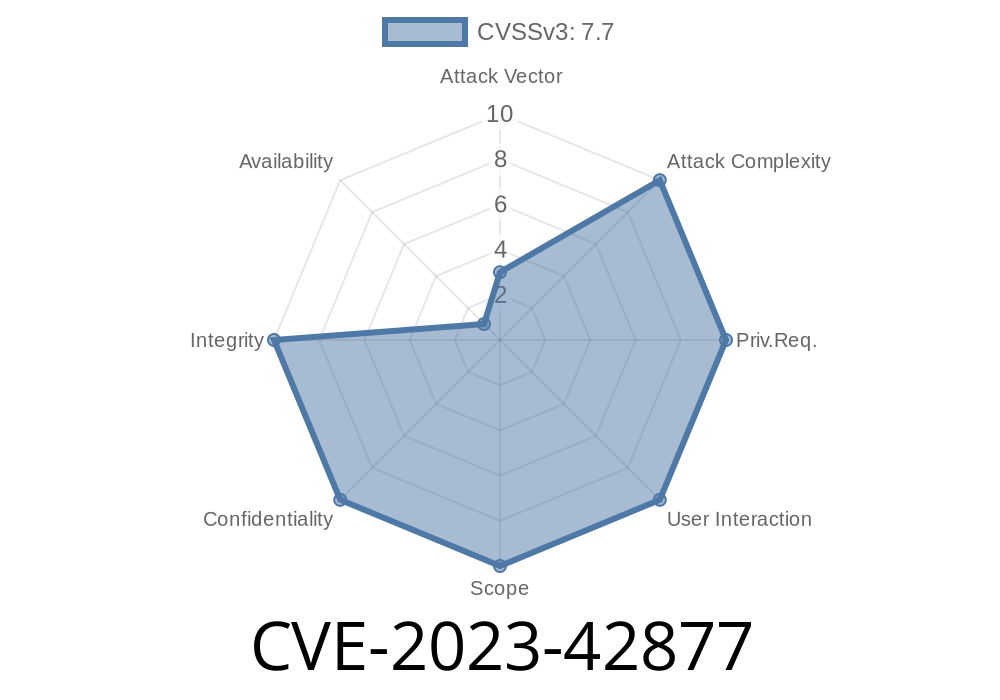
Summary:
In late 2023, a serious vulnerability surfaced affecting multiple macOS versions, letting malicious apps potentially access and change protected system files. Labeled CVE-2023-42877, this flaw was quickly fixed by Apple in updates for macOS Sonoma 14.1, macOS Monterey 12.7.1, and macOS Ventura 13.6.1. In this deep dive, we’ll break down what happened, how the bug could be exploited, and why it’s so important to patch your system today.
What is CVE-2023-42877?
CVE-2023-42877 is a macOS security flaw allowing a malicious or improperly coded app to modify protected parts of the file system—places apps should never touch without explicit permission. Put simply, with this hole open, an attacker could rewrite, delete, or corrupt essential system files, potentially gaining persistent access, escalating their privileges, or causing system-wide harm.
Apple’s official advisory:
> "An app may be able to modify protected parts of the file system. The issue was addressed with improved checks."
>
> References:
> - Apple Security Updates - CVE-2023-42877
> - Apple Security Releases
How Did It Work?
macOS uses a security mechanism called System Integrity Protection (SIP) to lock down core system files and directories. Only system processes and Apple-signed installers should be able to touch these protected areas. Normally, the kernel checks every file operation against long lists of rules, making sure nothing except trusted code can change critical things.
The Bug:
A flaw in these "checks" meant that, with the right sequence of calls or a crafted app, a regular app could bypass these protections and modify files or folders inside /System or /Library.
Apple’s fix:
> "The issue was addressed with improved checks."
This means Apple patched the underlying logic, ensuring only trusted operations pass through.
Exploit Example: What Could an Attacker Do?
*Disclaimer: This is for educational purposes only. Do not attempt this on any system you do not own.*
Let's imagine an attacker writes a macOS app. By exploiting CVE-2023-42877, they might try to overwrite a critical file in /System/Library—something that’s strictly off-limits.
Here’s a sample (simplified) Python code snippet that, under the vulnerable version, could attempt to change a protected file:
import os

# Target a protected system file
protected_file = '/System/Library/SomeSystemFile.plist'

try:
    # Try to overwrite system file
    with open(protected_file, "w") as f:
        f.write("malicious content")
    print("File overwritten! System protection bypassed.")
except PermissionError:
    print("Access denied. System protection active.")
*On patched macOS, this code will fail with a PermissionError.*
How an attacker might chain this:
macOS Monterey before 12.7.1
Check your macOS version:
Click the Apple icon > "About This Mac."
If you’re running an older version, update immediately.
How to Stay Safe
1. Update macOS: Install the latest security updates from Apple (how-to).
References & Further Reading
- Apple Security Update: CVE-2023-42877
- Apple Security Releases
- macOS System Integrity Protection (Apple official)
Conclusion
CVE-2023-42877 is a textbook example of how simple flaws in file system logic can jeopardize the whole security model of a modern operating system. Apple’s quick fix with "improved checks" underlines how even advanced protections like SIP need constant vigilance. If you haven’t updated your Mac recently, now’s the time!
Stay informed, stay updated—and keep your Mac safe.
*Written exclusively for you by your AI security companion. For questions, leave a comment!*
Timeline
Published on: 02/21/2024 07:15:50 UTC
Last modified on: 08/01/2024 13:44:48 UTC