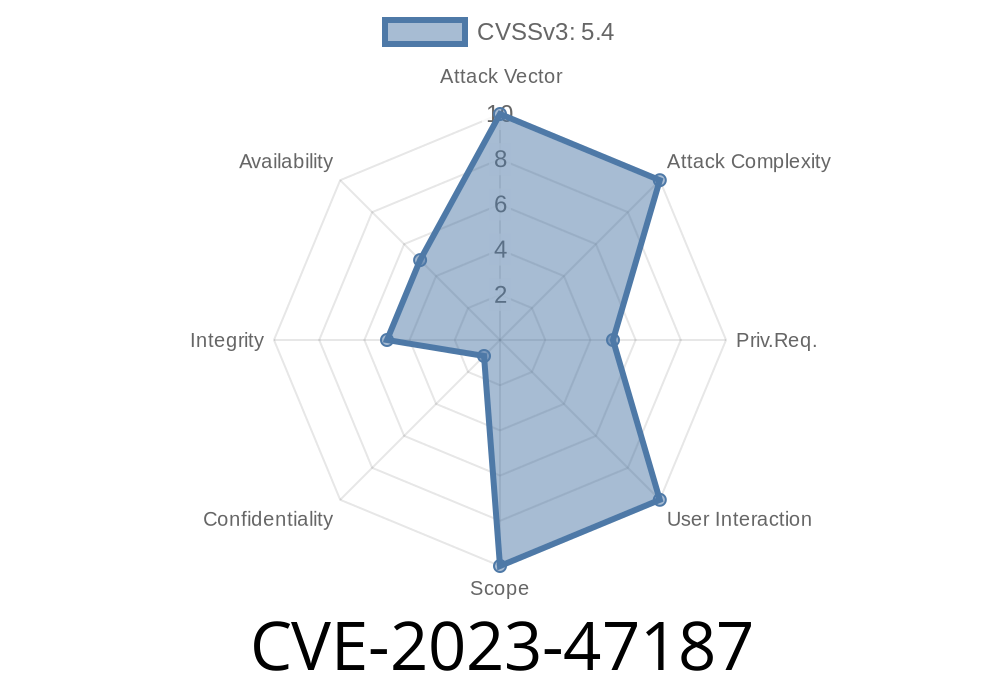
If you’re using the Animated Rotating Words plugin by Labib Ahmed, there’s a serious security problem you need to know about: CVE-2023-47187. This flaw is all about missing authorization, opening the door for anyone to mess with your plugin’s settings and, by extension, possibly your website. Even if you didn't spot suspicious activity, understanding this vulnerability will help you shore up your defenses—so read on.
What is CVE-2023-47187?
CVE-2023-47187 is a security issue found in the popular WordPress plugin Animated Rotating Words. This plugin, made by Labib Ahmed, lets you create cool rotating word effects on your website, but in versions up to and including 5.4, it’s vulnerable to a Missing Authorization (a.k.a. Insecure Direct Object Reference, or IDOR).
Simply put: the plugin forgets to check if a user is allowed to change settings or see certain data. If anyone knows the right URL or API call, they can alter settings just like an administrator—even if they’re a total stranger.
Vulnerable versions: All, up to and including 5.4
- Patched? Not as of this writing (see official plugin: Animated Rotating Words on WordPress.org)
Type: Missing Authorization
- CVE: CVE-2023-47187
How Does the Exploit Work?
The plugin lets users (site admins) add, edit, or delete the rotating words being shown. But the code doesn’t check if a person making these changes is actually allowed to do so.
Here’s a simple example of what this often looks like inside such a plugin
// Vulnerable code inside the plugin
if (isset($_POST['arw_save'])) {
    $new_settings = $_POST['arw_settings'];
    update_option('arw_settings', $new_settings); // ⚠️ NO permission check!
}
What’s missing?
Usually, you want to make sure only admins can do this, like so
if (current_user_can('manage_options')) {
    // save the settings
}
But here? Anyone landing on the right URL, even if not logged in, can submit this form and change your settings.
Exploiting This in the Real World
Let’s say you or a hacker finds the settings page URL or the POST endpoint. Here’s how an attacker could mess with you:
Create a special POST request (can be done with tools like curl or Burp Suite).
2. Send new “rotating words” to the endpoint, or change color, speed, style—anything in the settings.
Here’s a simple cURL command that could change settings—no login required
curl -X POST "https://victim.com/wp-admin/admin-post.php"; \
  -d "action=arw_save" \
  -d "arw_settings[rotating_words]=Hacked By Me"
If you try this on a vulnerable site, the rotating words on the homepage could now display “Hacked By Me”—or anything the attacker wants.
How to Mitigate
1. Update. Check if an update is available. If not, consider disabling the plugin until a fix comes out.
2. Restrict Access. Use a web application firewall (WAF) and security plugins that block unauthorized POST requests to admin URLs.
3. Monitor Changes. Watch for unauthorized changes in your site content, especially things shown to site visitors.
Reference Links
- CVE-2023-47187 on National Vulnerability Database
- Animated Rotating Words – WordPress Plugin
- Wordfence Vulnerability Database entry
Final Thoughts
The easiest security bugs are often the most damaging—missing a single line that checks a user’s permission means anyone, anywhere, can change your site. If you’re using the Animated Rotating Words plugin, take action now. Get in touch with the plugin author via the plugin’s support page, and stay updated on security fixes.
Timeline
Published on: 01/02/2025 12:15:15 UTC