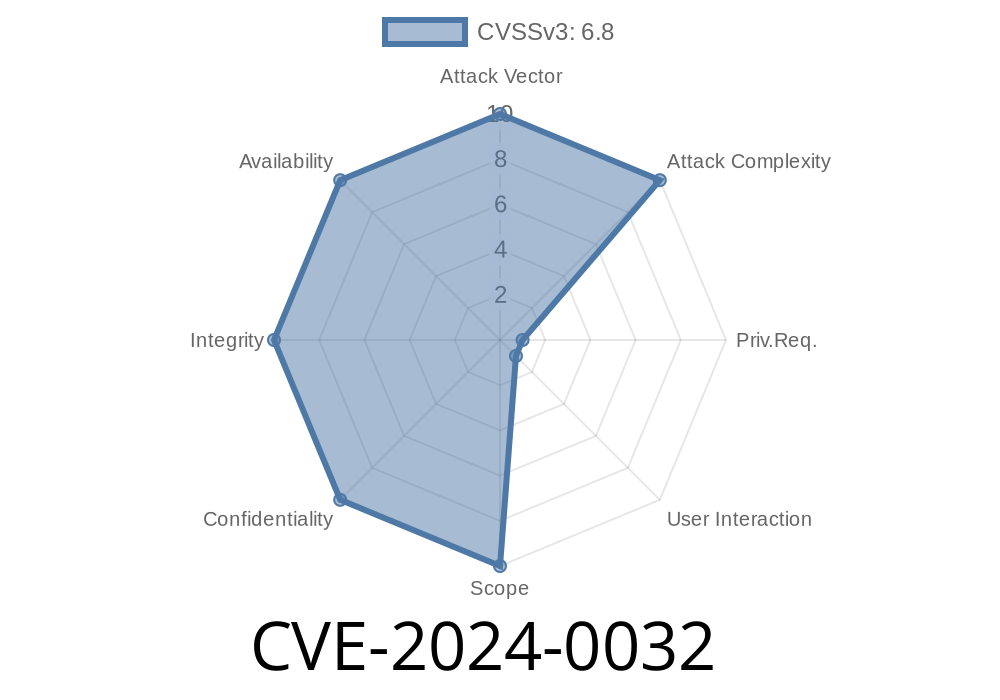
---
Summary
A recent vulnerability, CVE-2024-0032, has been reported in the Android Open Source Project (AOSP), specifically within the queryChildDocuments method in FileSystemProvider.java. This security issue could allow a local attacker to access protected directories, potentially escalating privileges. It arises due to improper input validation—attackers can trick the system into giving access to directories that should normally be hidden. This post will break down the bug, show you how the exploit works, and guide you to trusted references for more information.
What’s the Problem?
Inside many Android apps, the File System Provider lets apps interact with storage in a controlled way. Methods like queryChildDocuments should strictly check inputs so users and apps only see what they're allowed. With CVE-2024-0032, improper input validation means a malicious app might “ask nicely enough” to get into folders it shouldn’t.
This can expose sensitive app data or system resources, potentially letting a local attacker gain higher privileges or access data they're not supposed to.
Where’s the Bug?
The vulnerable code sits in the AOSP framework, in the FileSystemProvider.java file. Here’s a simplified snippet to show where things go wrong:
// Hypothetical bad validation in queryChildDocuments
@Override
public Cursor queryChildDocuments(String parentDocumentId, String[] projection,
        String sortOrder) {
    File parent = getFileForDocId(parentDocumentId);

    // BAD: No check if parent is supposed to be hidden or forbidden!
    // attacker can pass parentDocumentId like "../../secret_dir"

    return createCursorForDirectory(parent, projection);
}
If a malicious app supplies a tricky parentDocumentId, such as with directory traversal patterns (../), the method could resolve a path *outside* the allowed storage sandbox. Suddenly, dark internal directories become visible!
Step-by-Step Exploit Scenario
1. Malicious App Creation: Attacker writes an app that asks the File System Provider for access to a file using a crafted document ID (e.g., ../protected).
2. User Interaction: The user interacts with a file picker or similar interface (such as choosing a file in the attacker's app).
3. Directory Traversal Request: The attacker's app sends the malicious parentDocumentId when calling queryChildDocuments().
4. Improper Validation: The vulnerable method doesn't properly sanitize the input, allowing the traversal.
5. Access Gained: The app now receives a list of files/folders the user shouldn't see.
6. Local Privilege Escalation: If sensitive directories are exposed, the malicious app could use this access to perform further attacks or escalate privileges.
Here’s a very simplified snippet showing how an exploit might call the vulnerable API
Uri childrenUri = DocumentsContract.buildChildDocumentsUri(
    "com.android.externalstorage.documents", "../protected_directory"
);

Cursor c = context.getContentResolver().query(
    childrenUri, null, null, null, null);

while (c != null && c.moveToNext()) {
    String fileName = c.getString(c.getColumnIndexOrThrow(DocumentsContract.Document.COLUMN_DISPLAY_NAME));
    Log.i("Exploit", "Accessed file: " + fileName); // Prints out forbidden files
}
if (c != null) c.close();
Why Is User Interaction Needed?
The exploit relies on triggering the vulnerable path via a user-facing action. For example, the user might choose a file using a picker or explore storage in the attacker's app, not knowing it cleverly bypasses boundaries.
A fix has landed upstream, which looks something like this
File parent = getFileForDocId(parentDocumentId);

// FIX: Check if 'parent' is within allowed storage bounds
if (!isAllowedDirectory(parent)) {
    throw new SecurityException("Access denied!");
}
What You Should Do
- Update! Make sure your device is running the latest Android security patch. See the Android Security Bulletin
Review App Permissions: Don't install untrusted apps that ask for storage access.
- Developers: Sanitize all input IDs and check resolved paths before using them in file operations.
References
- Official Android Security Bulletin (June 2024)
- AOSP FileSystemProvider.java (Example Reference)
- Mitre CVE Record for CVE-2024-0032
Final Thoughts
CVE-2024-0032 demonstrates how tiny oversights in file system input validation can lead to big problems. Always update your devices, and developers: never trust user-supplied identifiers and always validate resolved file paths.
If you want to see patches or join discussions, check the official AOSP Gerrit for patch notes and commit messages related to FileSystemProvider security.
Timeline
Published on: 02/16/2024 02:15:50 UTC
Last modified on: 08/29/2024 20:35:54 UTC