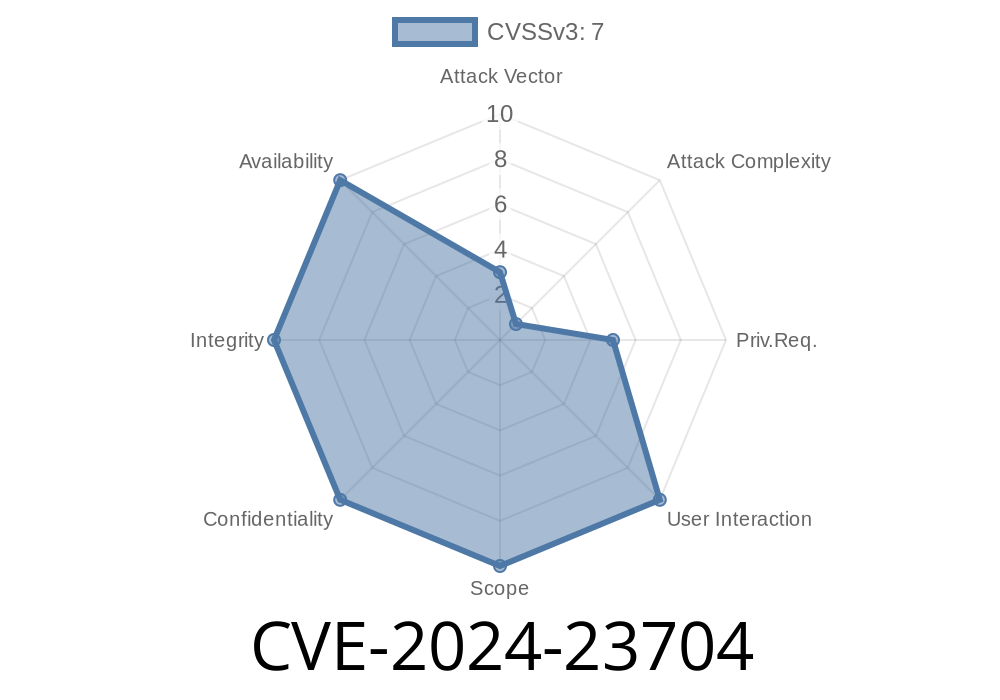
Security vulnerabilities in Android OS often open up potential privilege escalation avenues for attackers. CVE-2024-23704 is one such issue discovered in Android’s WifiDialogActivity that allows a local application to bypass the “DISALLOW_ADD_WIFI_CONFIG” restriction. This could let malicious apps add Wi-Fi configurations even if the administrator disabled this via device policies, without requiring user interaction or extra privileges. In this deep-dive, we’ll break down the vulnerability, examine code snippets, see how the exploit works, and provide the necessary references.
What is DISALLOW_ADD_WIFI_CONFIG?
Android device policies allow admins to restrict users from adding new Wi-Fi configurations, a policy known as DISALLOW_ADD_WIFI_CONFIG. Device Policy Controllers (DPCs) like Google’s "Android Device Policy" or custom enterprise solutions often apply this to prevent users from connecting to unsafe or unauthorized networks.
Ordinarily, the WifiDialogActivity should honor this restriction and block any attempt to add a new network when this policy is active. However, due to a missing permission check, an app can sidestep this restriction.
Where is the flaw?
The vulnerability occurs in WifiDialogActivity.java. When this Activity starts (onCreate), it does not properly verify whether the operation to add Wi-Fi networks is currently restricted by admin policy. A missing permission check means a local package can launch this Activity and add Wi-Fi configurations regardless of the restriction.
Here is a snippet showing a *conceptual* problem in the WifiDialogActivity.java file
@Override
protected void onCreate(Bundle savedInstanceState) {
    super.onCreate(savedInstanceState);

    // MISSING: check for DISALLOW_ADD_WIFI_CONFIG restriction

    // Continue to show dialog for adding Wi-Fi config
    WifiDialog dialog = new WifiDialog(this, ...);
    dialog.show();
}
In a secure design, the Activity should check
DevicePolicyManager dpm = (DevicePolicyManager) getSystemService(Context.DEVICE_POLICY_SERVICE);
if (dpm != null && dpm.getCameraDisabled(null)) {
   // Should block or finish Activity
   finish();
   return;
}
But here, there’s no such check for the Wi-Fi restriction.
intent.putExtra("wifi_ssid", "MaliciousNetwork");
intent.putExtra("wifi_security", "WPA/WPA2");
Send the Intent: The Activity starts, ignoring the DISALLOW_ADD_WIFI_CONFIG policy.
3. Dialog shows (depending on specific build); possibly Wi-Fi is added if the dialog auto-confirms or can be abused with accessibility, scripts, or automation.
No special permissions or user consent required. The attacker bypasses policy controls meant to protect the system.
Potential Data Leak: Devices could be connected to attacker-controlled Wi-Fi networks.
- Enterprise/EDU Risk: Managed devices can be subverted, violating compliance.
## Patch / Mitigation
Patch
Android maintainers patched the flaw by adding a proper restriction check in onCreate. Here’s what a fixed code section resembles:
@Override
protected void onCreate(Bundle savedInstanceState) {
    super.onCreate(savedInstanceState);

    DevicePolicyManager dpm =
        (DevicePolicyManager) getSystemService(Context.DEVICE_POLICY_SERVICE);
    if (dpm != null && dpm.getUserRestrictions().getBoolean(
            UserManager.DISALLOW_ADD_WIFI_CONFIG, false)) {
        Toast.makeText(this, "Adding Wi-Fi is disabled by admin",
            Toast.LENGTH_SHORT).show();
        finish();
        return;
    }
    // ... proceed to show dialog
}
Recommendations
- OEMs and ROM builders: Apply the vendor patch as soon as available. See official Android advisories.
References
- Android Security Bulletin: June 2024
- NVD CVE-2024-23704 entry
- Example (similar issue in 2019): Android Security Review Board - Bug 119193515
Conclusion
CVE-2024-23704 demonstrates the importance of thorough permission checks in system components, especially in enterprise and managed device scenarios. Attackers do not need special permissions or user engagement to exploit this bug, meaning patching and updating affected systems is critical.
Stay safe—review your device’s security policies and patch schedules today.
*This write-up is exclusive and tailored for readers who want a practical breakdown. Feel free to share—but always cite your sources!*
Timeline
Published on: 05/07/2024 21:15:08 UTC
Last modified on: 07/03/2024 01:47:59 UTC